
 Tabalyst
TABALYST FOR
Profile and inspect data from your CLI or Python workflows.
Tabalyst · Open source · Local-first
Tabalyst is an open-source, local-first toolkit for profiling, understanding and exploring CSV, Excel, JSON and JSONL data. Profiling is available today with Tabalyst Report. Exploring is coming with Tabalyst Explore.
TabalystReport
Explore the report
Report
Analysis
Data
One line to install, and one command for a file or for hundreds: pip install tabalyst, then tabalyst report *.csv -d reports/.
See the commandsAn interactive HTML report for people and a structured JSON profile for your tools, written together from a single analysis.
See the two outputsTabalyst finds the right table of a workbook or the right collection of a JSON file by itself. When it cannot choose, it lists the candidates instead of guessing.
How Tabalyst Inspect choosesFOUR FORMATS · TWO TOOLS · ONE WORKFLOW
Tabalyst reads CSV, Excel, JSON and JSONL on your machine. Choose how you want to understand your data: profile it with Tabalyst Report, or investigate it with Tabalyst Explore.
Tabalyst reads your structured data locally, without changing the source.
Choose a structured report or navigate your data interactively.
See types, distributions, missing values, patterns and quality issues.
Filter, compare and investigate records through facets suggested from your data.
Schematic rows, for illustration only.
Your way in
Four pages, one for each way of working with data. Each one starts from your questions and shows what Tabalyst Report offers for them.
Profile and inspect data from your CLI or Python workflows.
Understand your sources before ETL, migration or integration.
Understand the dataset before analysis or modeling.
Make data problems visible before their downstream effects.
The product Available
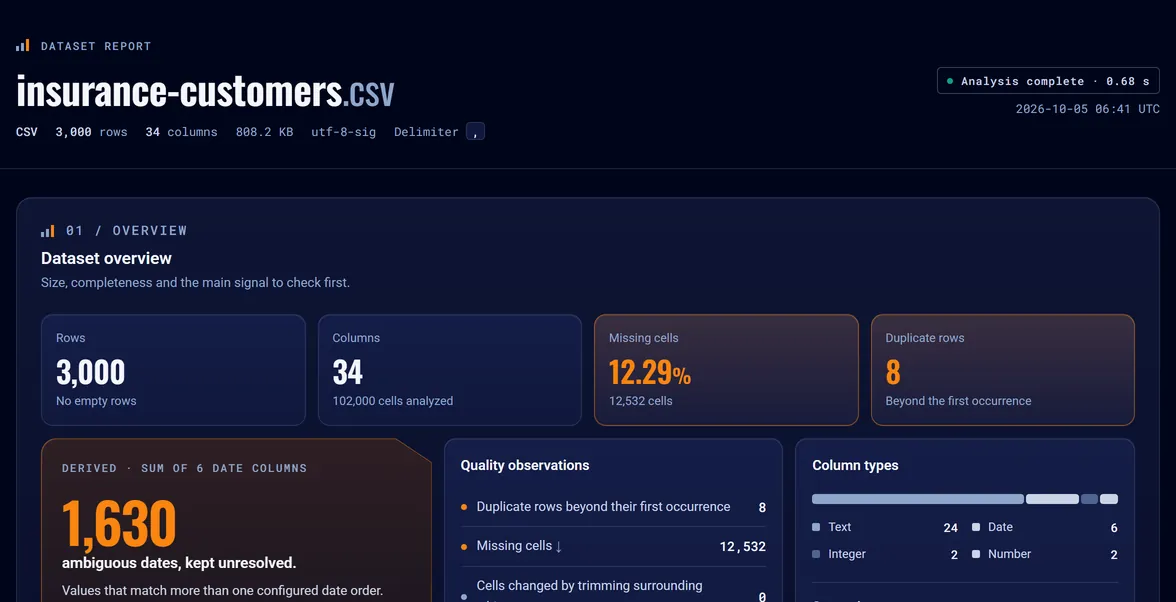
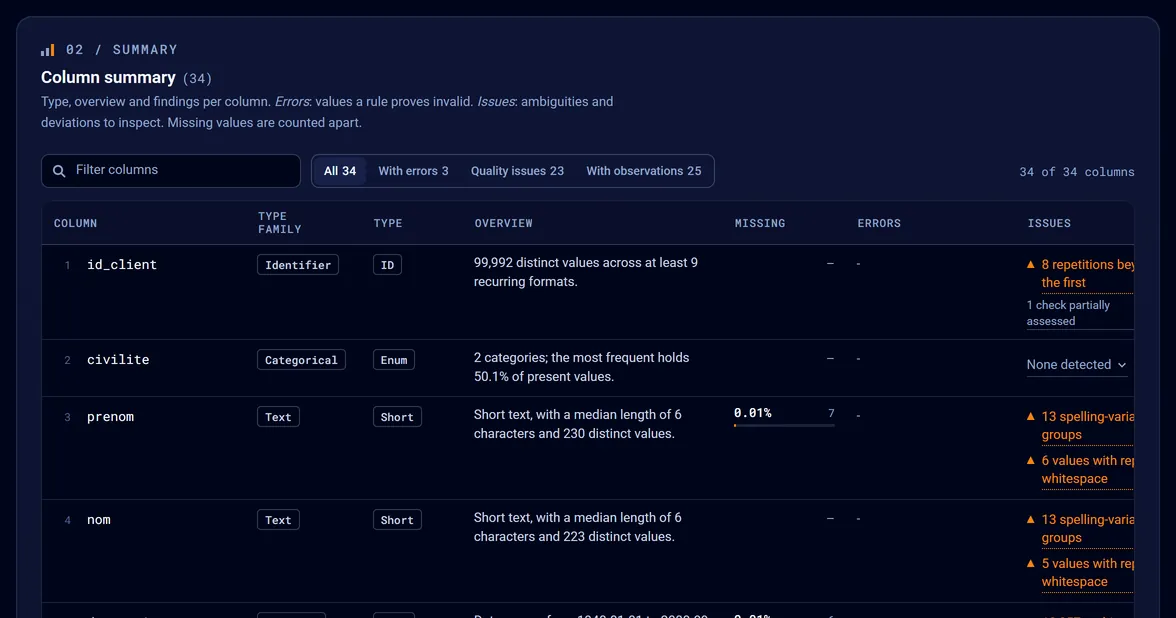
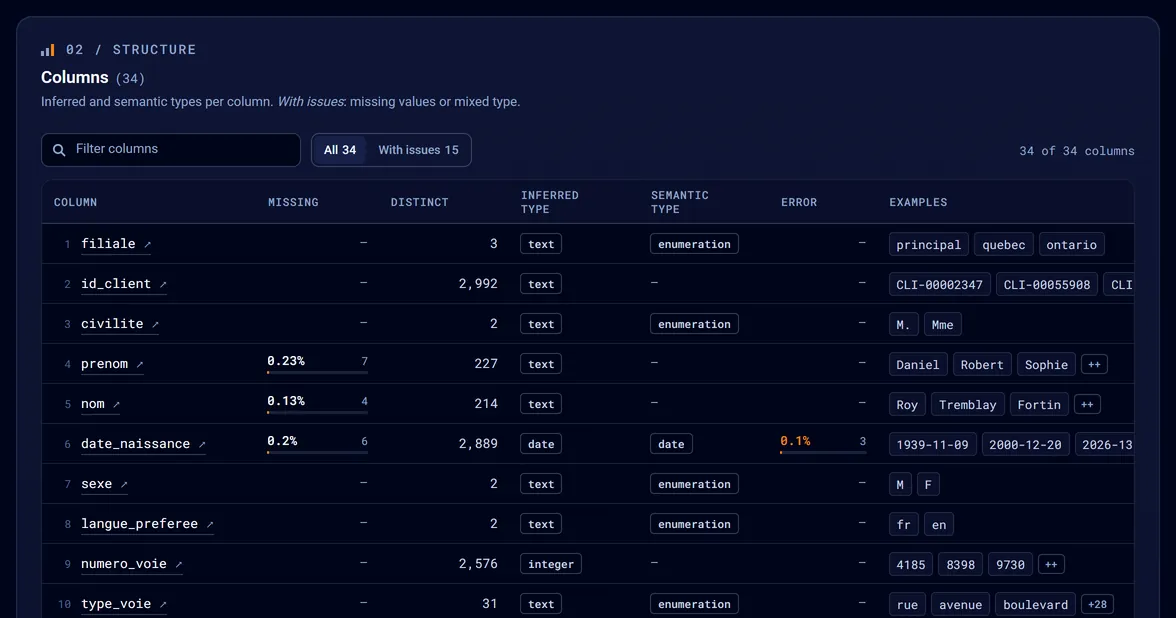
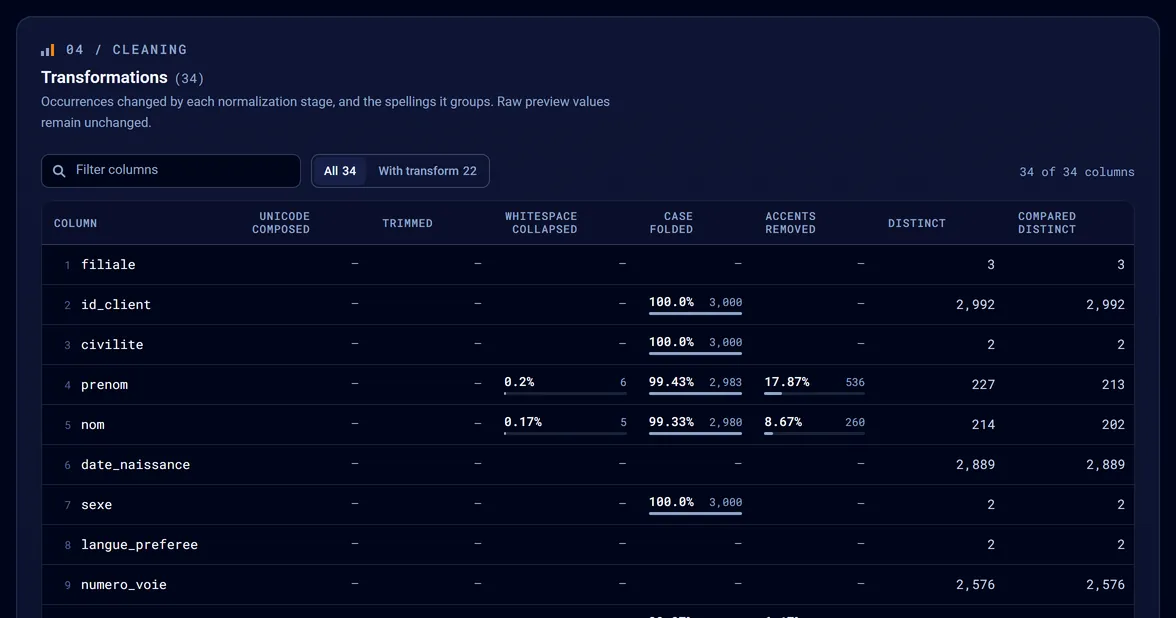
Point it at a file. It reads the whole file on your machine and writes an interactive HTML report for people and a structured JSON profile for your tools.
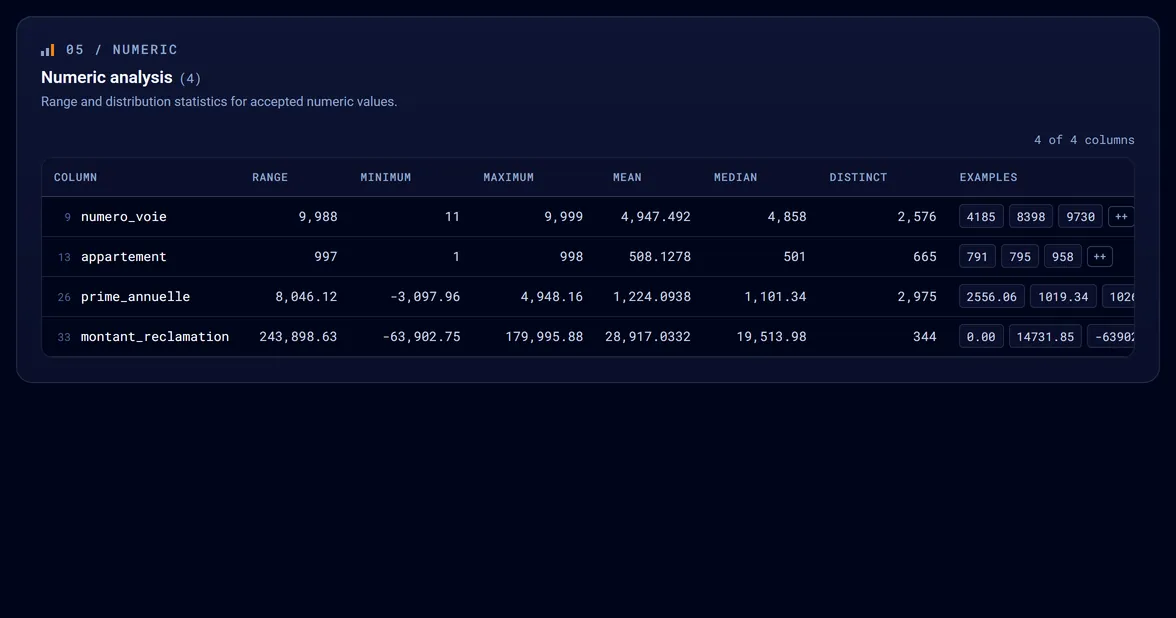
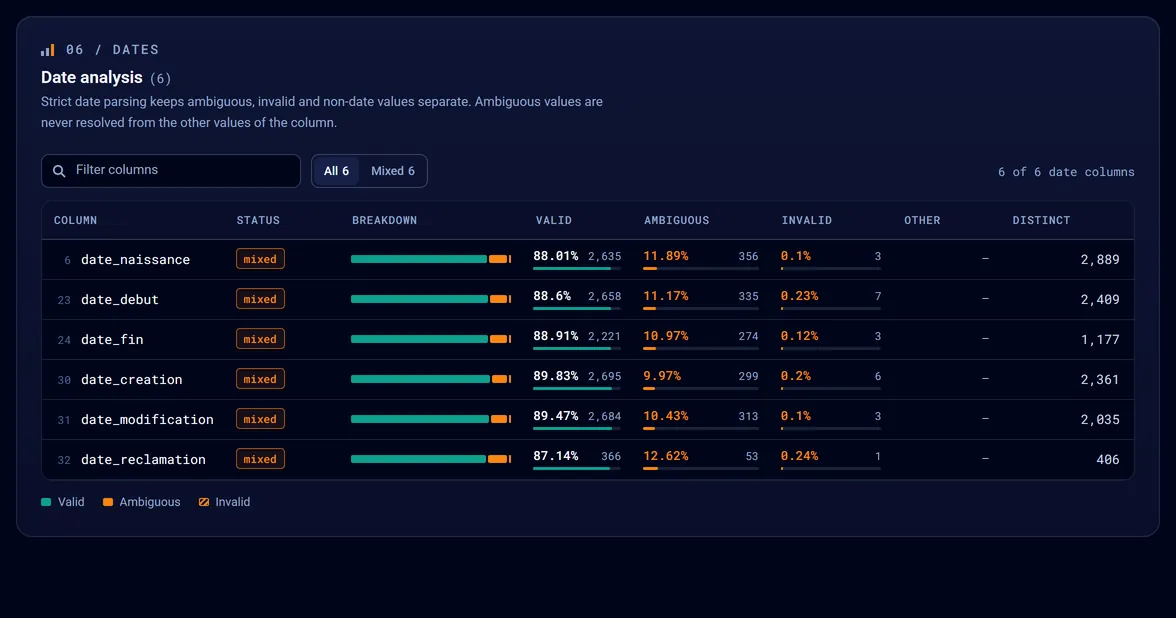
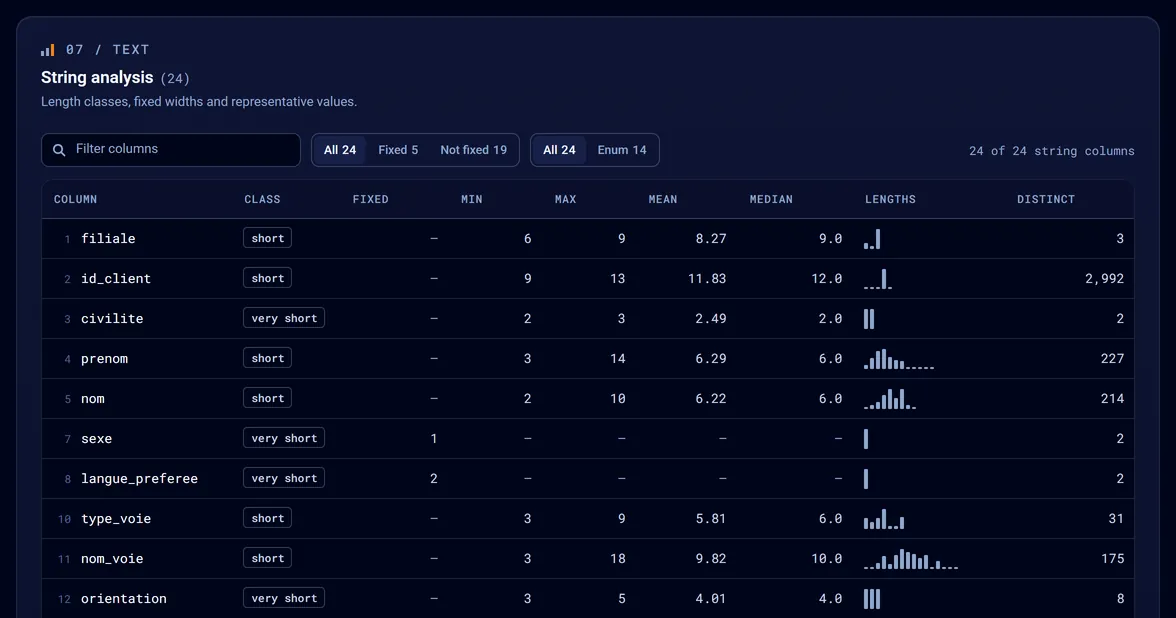
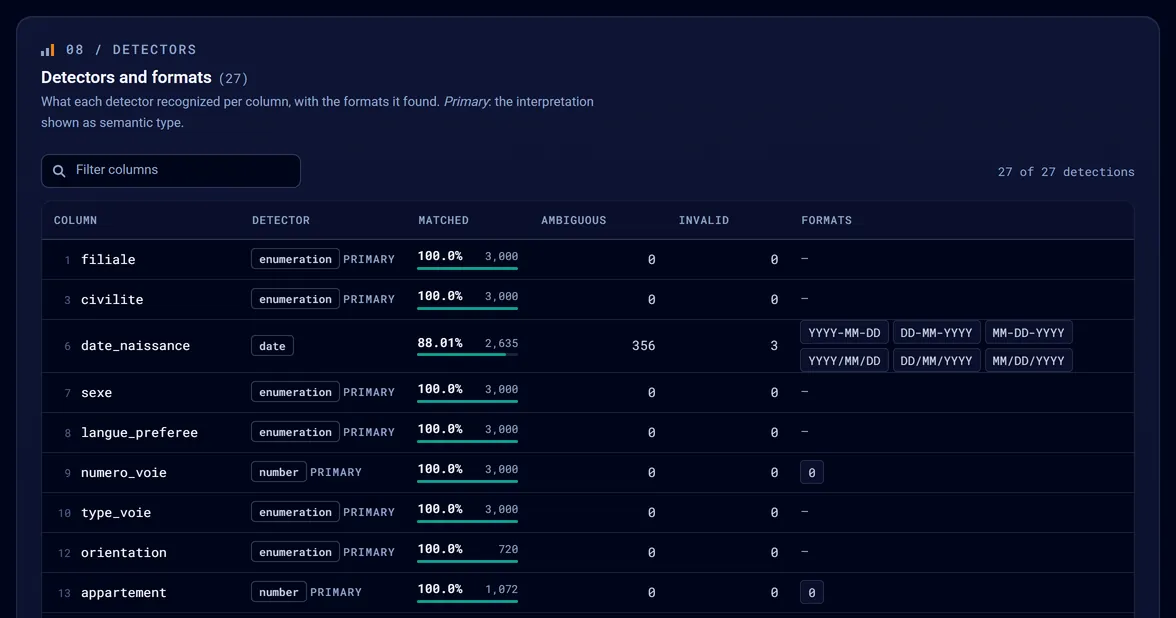
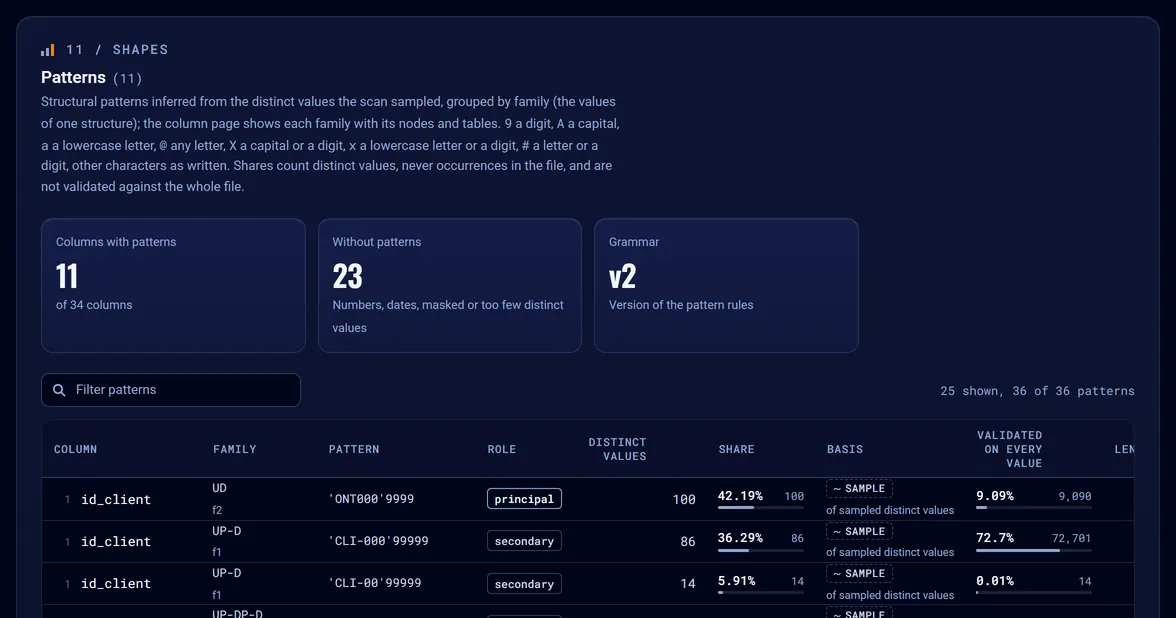
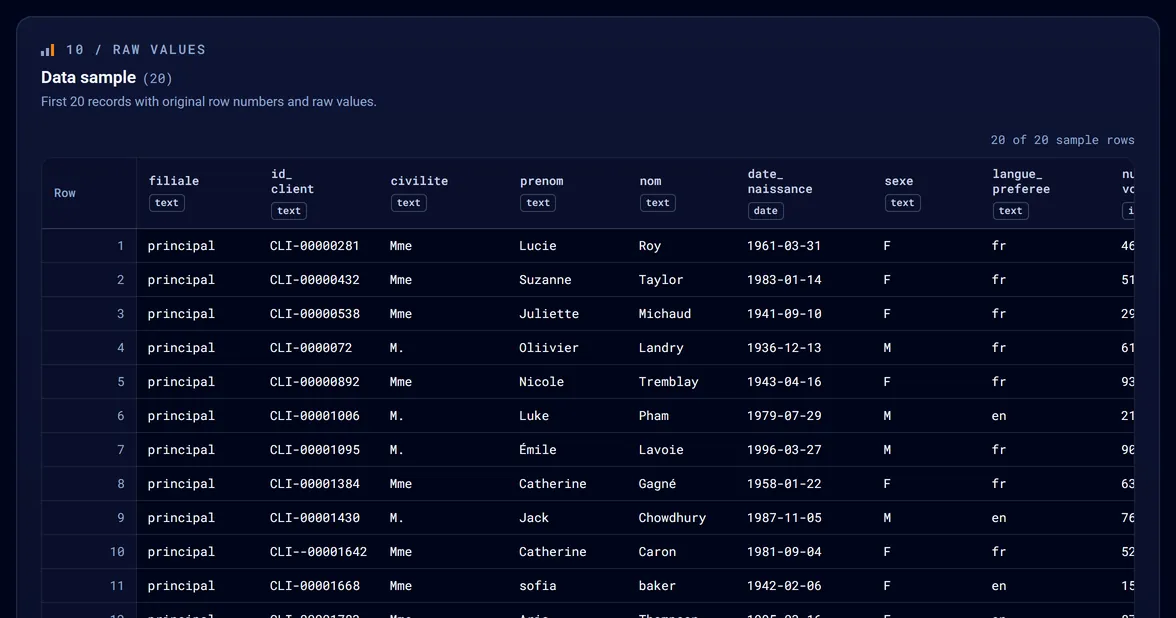
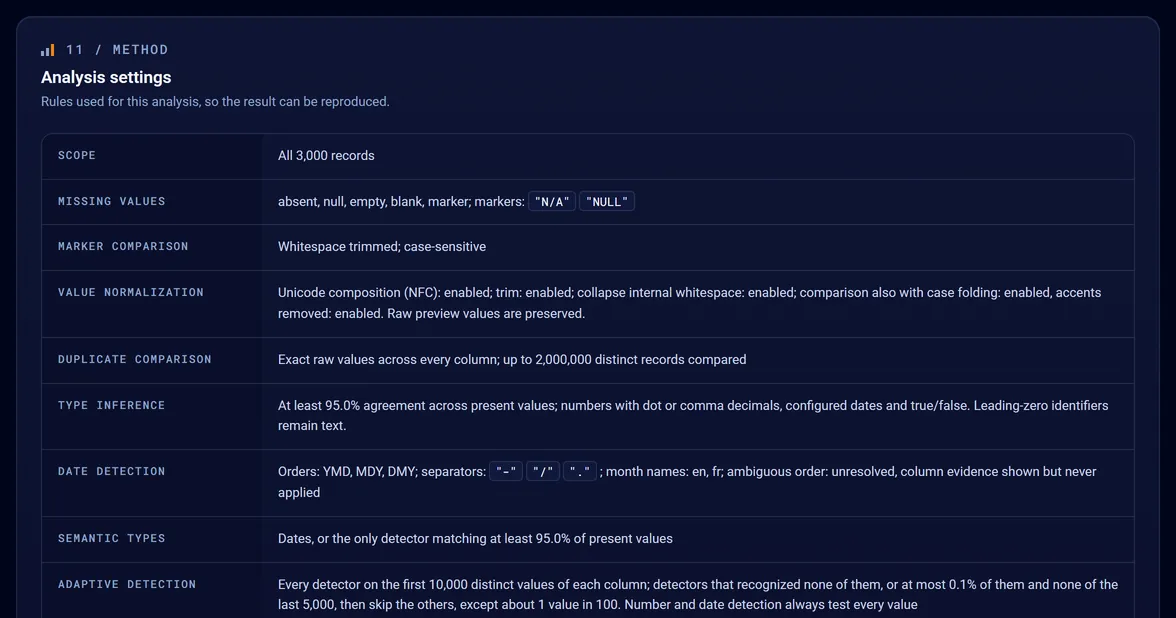
One self-contained file that opens without a connection: what each column holds, what is missing or ambiguous, with the values behind each number.
The same analysis as data, to reuse in a script or a pipeline. A history of successful runs records how each result was produced.
The demo above is the full report, step by step. Everything about Tabalyst Report
One file or hundreds
Install Tabalyst, point Tabalyst Report at a file, or at a whole batch: one report per file, all in one folder. The files are not merged, joined or compared.
Beta, interfaces may still change · Python 3.11+ · Available on PyPI ↗
pip install --upgrade tabalyst# Also updates it: Tabalyst changes often
tabalyst report data.csv# data.html, data.json and executions.json, beside data.csv
tabalyst report *.csv -d reports/# One HTML report and JSON profile per file, all in reports/. Files are not merged.
import tabalyst # One fileresult = tabalyst.analyze( "data.csv", "reports/report.html", separator=";", encoding="cp1252", config_path="tabalyst.json",)print(result["datasets"][0]["summary"]["row_count"]) # Several filesbatch = tabalyst.generate_reports( ["*.csv"], output_dir="reports",)
Four formats
The same two outputs for CSV, Excel, JSON and JSONL. Each format has its own page, with a real report and its limits.
Profile an export column by column: types, gaps, ambiguous dates, duplicate rows.
Report one sheet or named table of a workbook, header found even under a title.
Report a collection of records, with nested fields named by their path.
Report one record per line, with invalid lines excluded, counted and listed.
Next
Tabalyst Report summarizes and profiles a file. Tabalyst Explore is meant to filter and investigate it: facets proposed from your data, and suggestions of where to look. It is not available yet.
Coming soon Tabalyst Explore is coming soon
Try Tabalyst Report todayProof you can open
Every report below was written by Tabalyst Report on an example file, then published without changes. The data is synthetic or fictional.
100,000 rows · 34 columns. Opens the real report.
120 rows · 9 columns · 13 missing cells. Opens the real report.
60 records · 17 fields · 48 missing cells. Opens the real report.
300 records · 14 fields · 3 excluded lines. Opens the real report.
Local-first · Built for big files
Tabalyst analyzes the file where it is, with no upload and no account. It adds no telemetry or remote processing.
The Python package runs the analysis on your machine. A generated report may contain values from the source, so review it before sharing.
Reports read CSV, JSON and JSONL files as a stream, with memory bounded by configurable limits. An Excel workbook is read sheet by sheet into memory.
Large files are a design goal, not a measured promise: no speed or maximum size is published. See the known limitations ↗.
More than reports
Tabalyst Report is the first tool of the toolkit. The others share its engine and its command grammar: tabalyst ACTION INPUT.
Later
A hosted way to use Tabalyst in your browser is planned, with a free offer. It is not available yet: there is no upload, account or application today. Tabalyst runs on your machine.
Coming soon Tabalyst Online is coming soon
Use Tabalyst locally todayOpen source
The code is MPL-2.0-licensed. Install it from PyPI, read the source on GitHub, call it from the command line or from Python, and reuse the JSON profile in your own tools.
tabalyst report, inspect, scan and sample share one grammar.
A public Python API returns JSON-serializable results, for scripts and pipelines.
A versioned JSON profile, still young: check its schema version when you upgrade.
Your next file
Install Tabalyst and generate your own report with Tabalyst Report, or open a real report before you begin.