

Tabalyst for data leaders

Make data problems visible before they spread downstream.

A dashboard, a model or a decision is only as good as the file behind it. Tabalyst Report analyzes a file on your own machine and produces a report anyone can open, with the evidence of what is missing, inconsistent or ambiguous.

Records
3,000
Empty cells
12.29%
Ambiguous dates
1,630
Duplicate rows
8

What Tabalyst Report found in a synthetic file of insurance customers, before anyone built on it. The figures are read from the profile of the example report.

Your angle

What a leader needs to know

  • 01 / QUESTIONS

    Can we rely on this file?

    Before a dashboard, a model or a decision uses a file, ask what is missing, what is ambiguous and what is repeated, and get an answer your team can read.

  • 02 / EVIDENCE

    A report anyone can open

    The HTML report is one self-contained file that works without a network: send it to the team that owns the data. The same analysis is written as a JSON profile for your tools.

  • 03 / CONTROL

    Reproducible by design

    Each report lists every rule used and the run is recorded in executions.json. The profile carries the name, the size and the SHA-256 fingerprint of the source file.

Workflow

How a team adopts it

Adoption takes one person and two commands. Tabalyst is open source under MPL-2.0, needs no account and no server, and adds no telemetry or remote processing. It reads CSV, Excel, JSON and JSONL files.

1. Install it. It needs Python 3.11 or later.

pip install tabalyst

2. Run it on a file or a folder. Each file gets its own report and profile: files are not merged.

tabalyst report *.csv -d reports/

3. Share what it finds. Open the HTML reports, send them to the people who know the data, and keep the JSON profiles where your tools can read them.

Proof

See a real report

Tabalyst Report on a real fileGenerated from the example report
report.html report.json insurance-customers.csv Screenshots of a real Tabalyst report

TabalystReport

Explore the report

Report

Analysis

Data

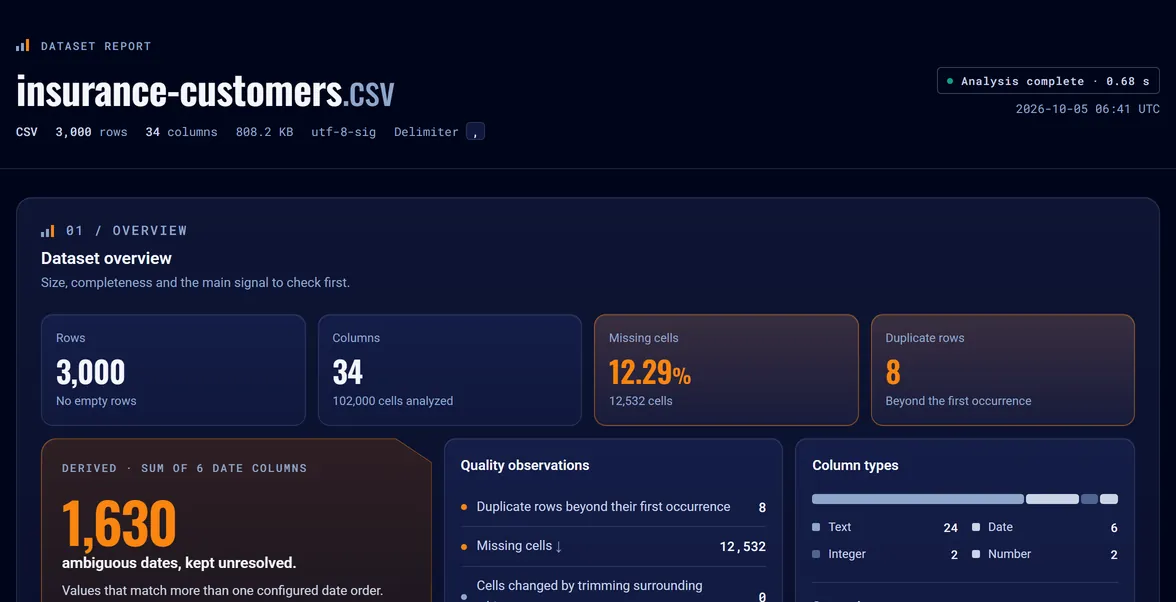
Dataset overview: Size, completeness and the main signal to check first.Open in full report

See the whole-file signal first.

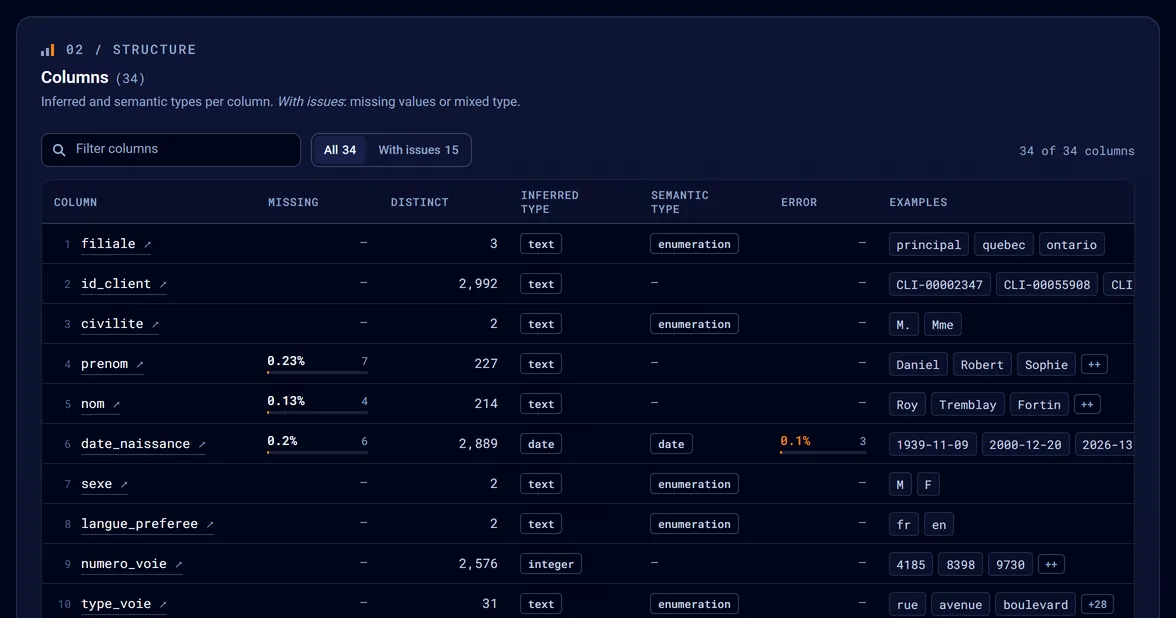
Columns: Inferred and semantic types per column. With issues: missing values or mixed type.Open in full report

Every column, its type and its issues.

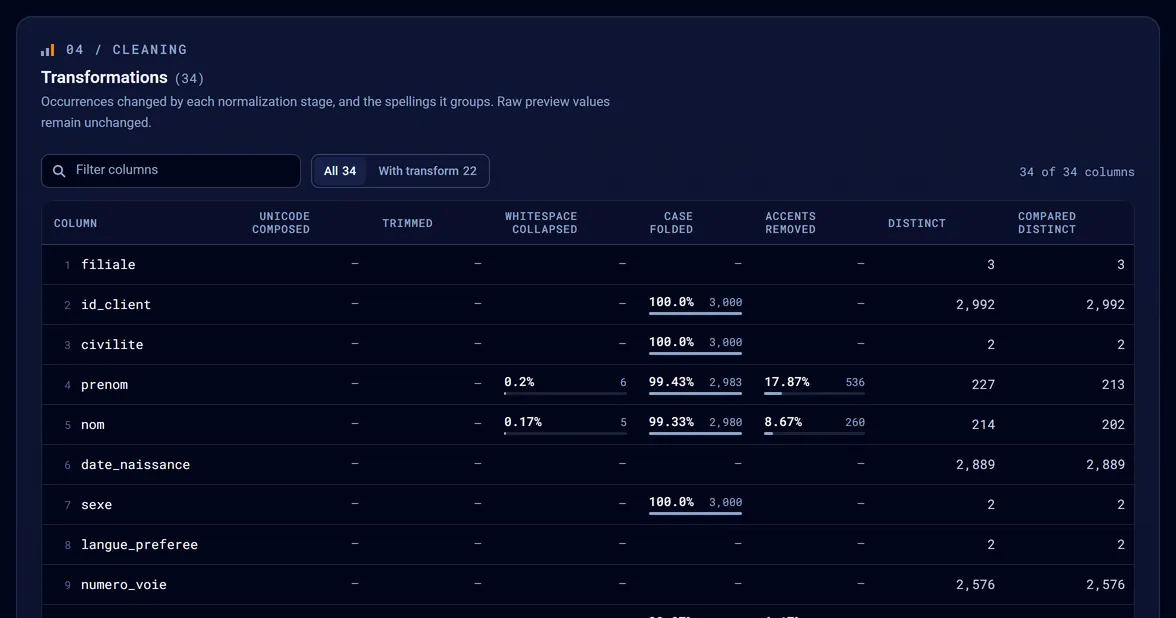
Transformations: Occurrences changed by each normalization stage, and the spellings it groups. Raw preview values remain unchanged.Open in full report

What was normalized, column by column.

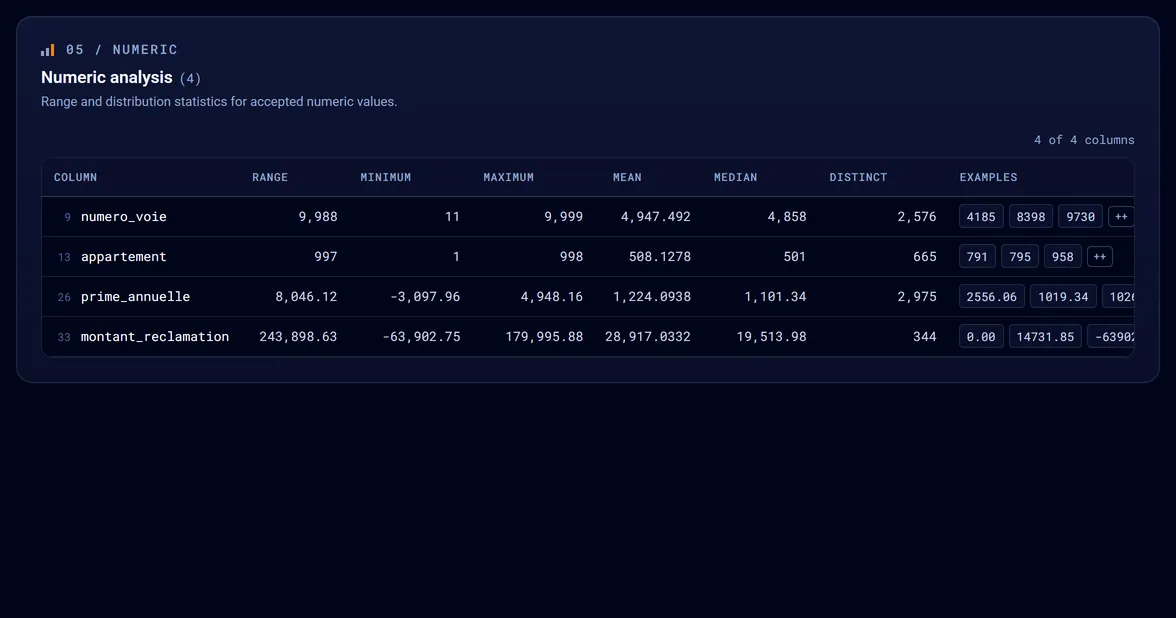
Numeric analysis: Range and distribution statistics for accepted numeric values.Open in full report

Range, mean and median of each numeric column.

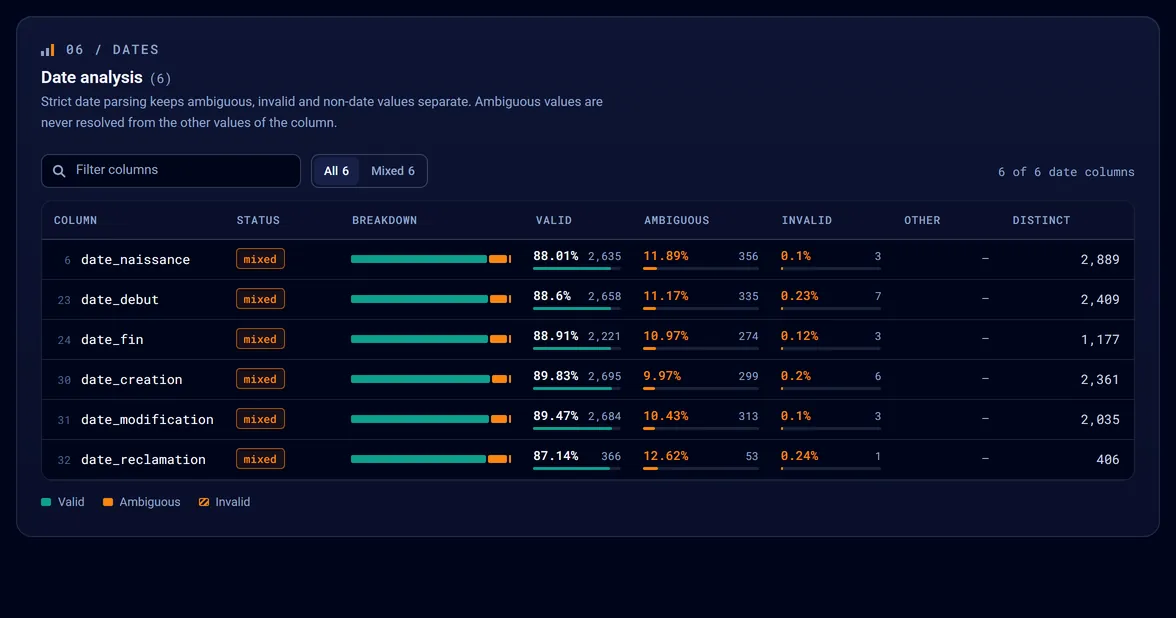
Date analysis: Strict date parsing keeps ambiguous, invalid and non-date values separate. Ambiguous values are never resolved from the other values of the column.Open in full report

Ambiguous dates are flagged, never guessed.

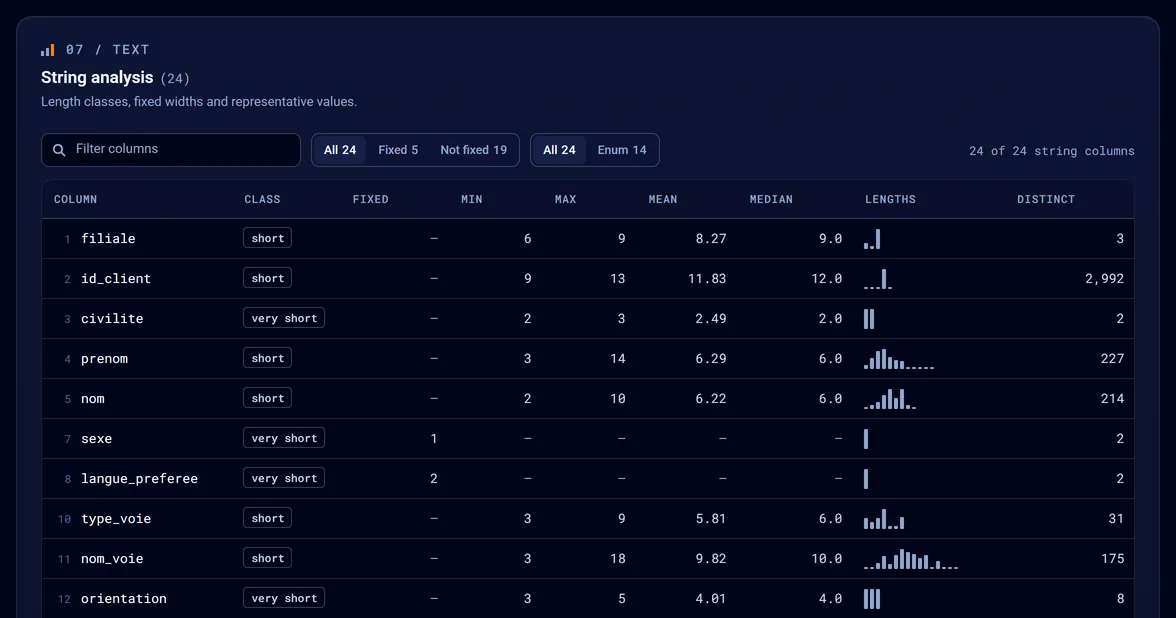
String analysis: Length classes, fixed widths and representative values.Open in full report

The length profile of every text column.

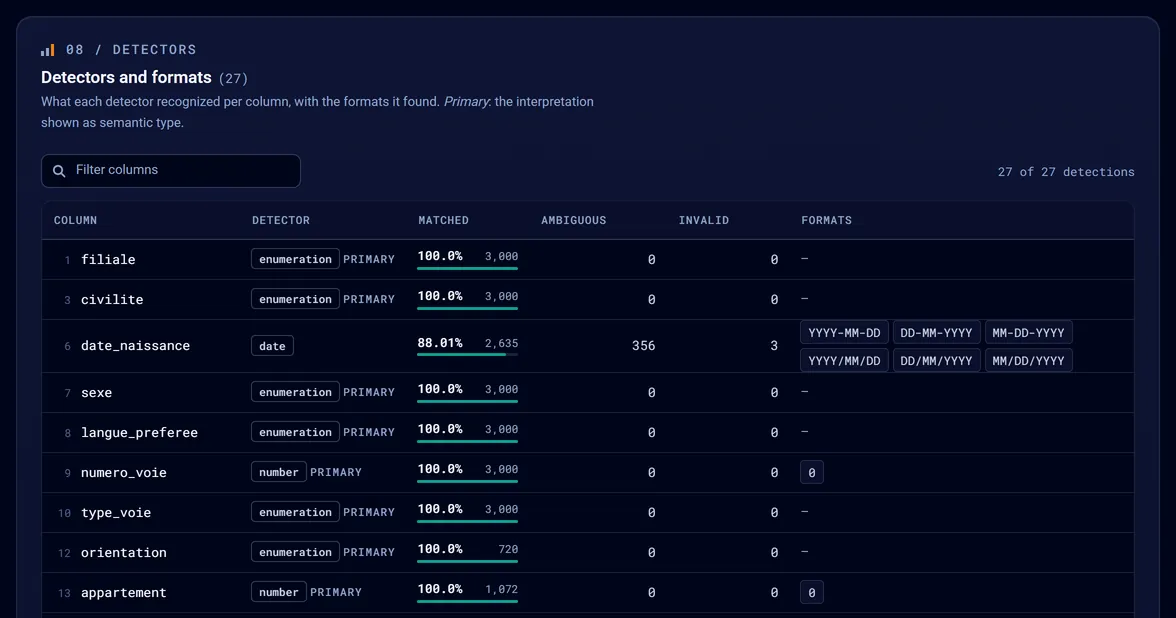
Detectors and formats: What each detector recognized per column, with the formats it found. Primary: the interpretation shown as semantic type.Open in full report

What each detector recognized, and in which format.

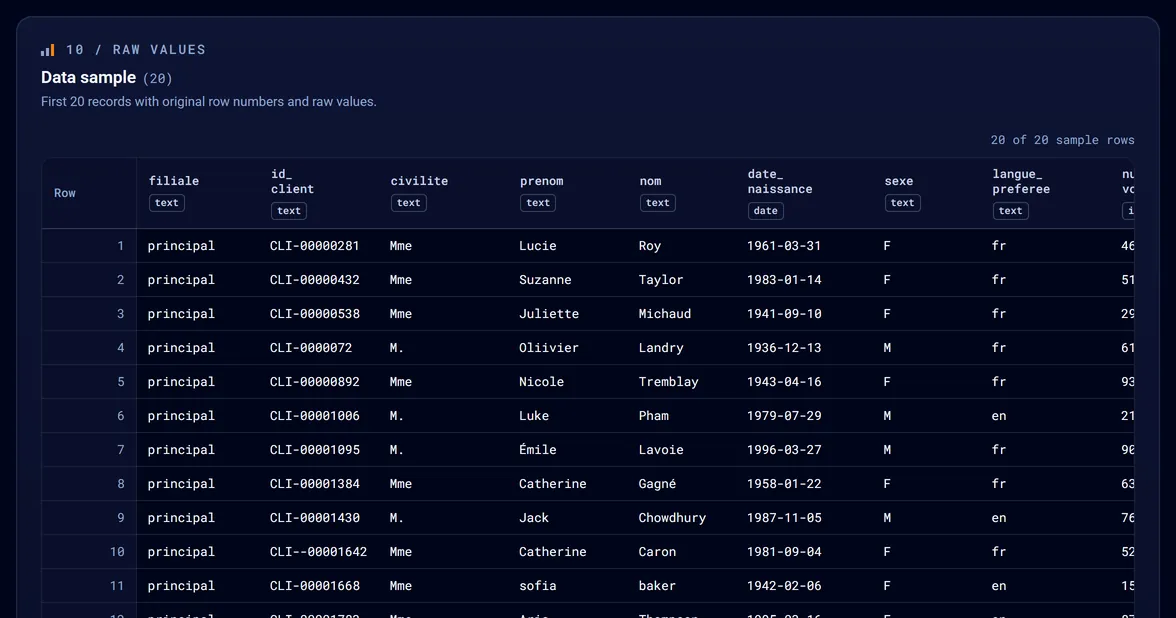
Data sample: First 20 records with original row numbers and raw values.Open in full report

Raw values, exactly as they are in the file.

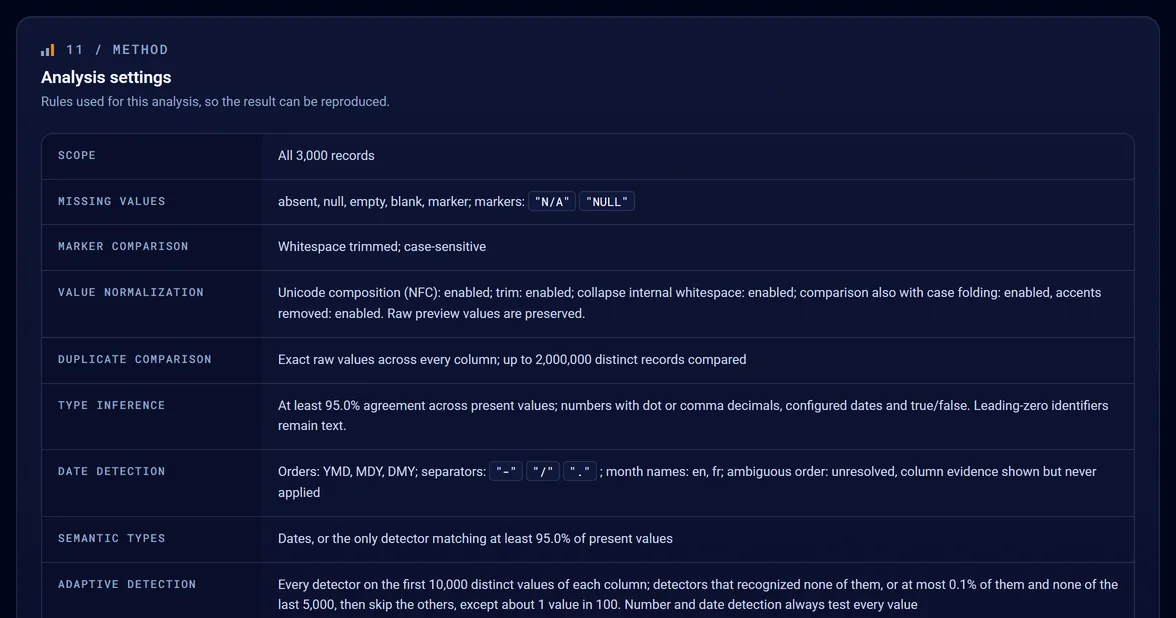
Analysis settings: Rules used for this analysis, so the result can be reproduced.Open in full report

Every rule used, for a reproducible analysis.

Explore the full report

The example is a synthetic file of 3,000 insurance customers: the people and contracts are fictional. The report and its profile are the files Tabalyst Report wrote, without changes.

Scope, not hype

What a report does not do

  • A report shows statistical and structural signals, not business errors. Whether a gap or an odd value is a problem is a decision for the people who know the data.
  • Tabalyst does not fix the file. It shows what is in it.
  • A report can contain values of the source file, even though sensitive fields such as email addresses are masked by default. Share it as you would share the file.
  • Tabalyst is in beta, and the format of its JSON profile is still experimental.

The known limitations ↗ list the rest.

Next step

Where to go next

Tabalyst Online, to run in the browser without installing anything, is coming. Tabalyst Report is available today.

Coming soon Tabalyst Online: no installation needed

Use Tabalyst Report today
PRODUCTAvailable

Tabalyst Report

The product: demo, outputs, batches and the four formats.

Your next data file

Start with a clearer picture.

Ask one person to run Tabalyst on the file your team depends on, and open the report together.