
 Tabalyst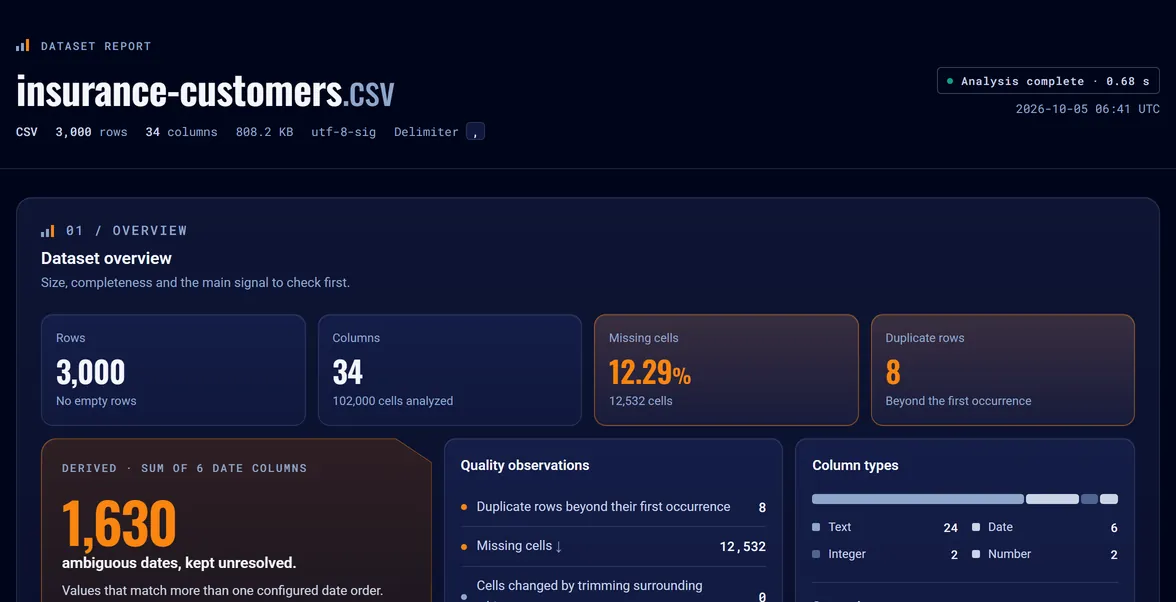
PRODUCTAvailable
Tabalyst Report
The product behind the four formats: demo, outputs, batches and Python.
Tabalyst Report · CSVAvailable
Tabalyst Report is an open-source tool that turns a data file into an interactive HTML report and a JSON profile, on your machine. Point it at a CSV file or a whole folder of them, and see the types, gaps, ambiguous dates and duplicates before you build on the data.
tabalyst report insurance-customers.csv
Analyzed 3,000 rows and 34 columns.
Report: insurance-customers.html
tabalyst report *.csv -d reports/
Report: basic.csv -> reports/basic.html
Report: insurance-customers.csv -> reports/insurance-customers.html
2 succeeded, 0 failed
Real output of tabalyst 0.6.0, paths shortened.
One clear chain · three steps
Analysis and presentation are separate. One analysis produces a JSON profile for code and a self-contained HTML report for people.
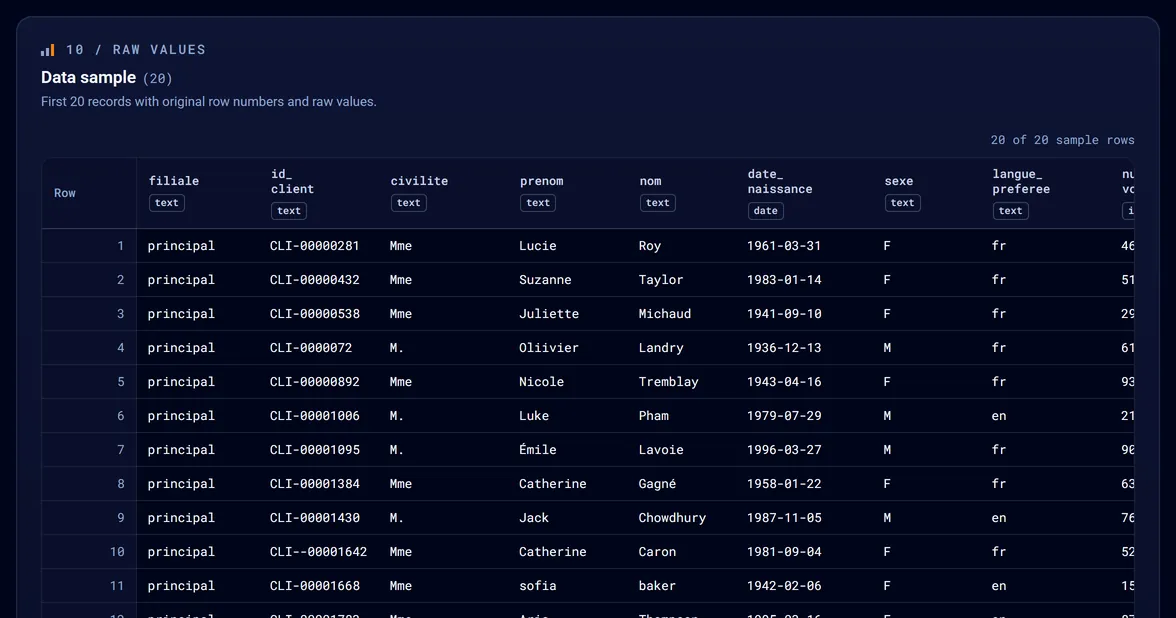
The source is read locally. Original values remain visible in the bounded preview.
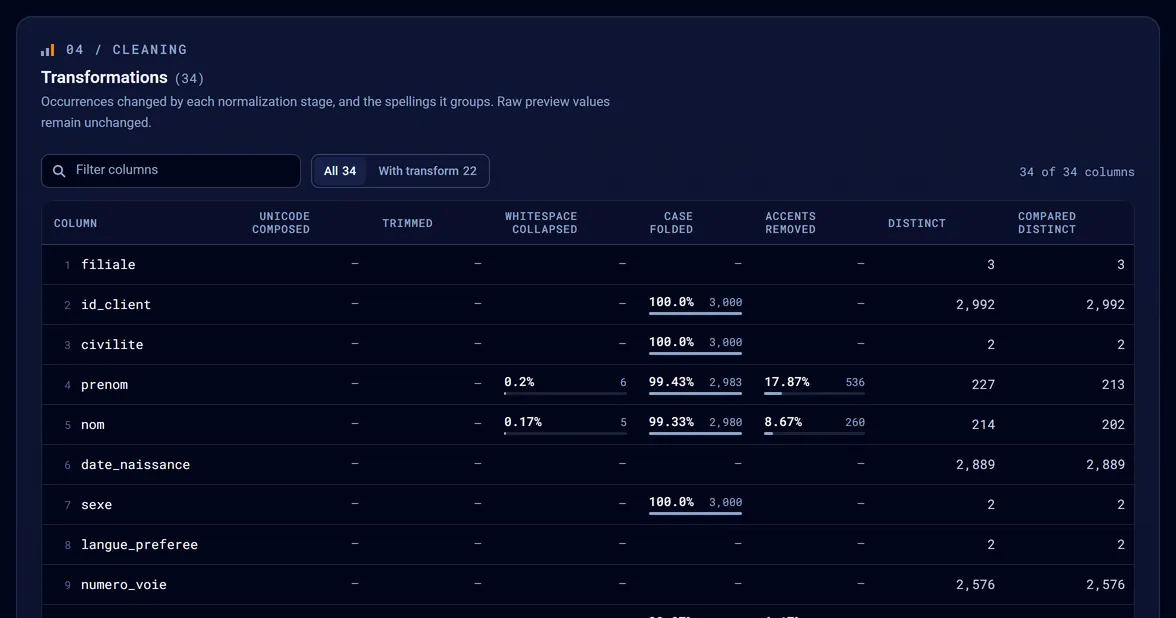
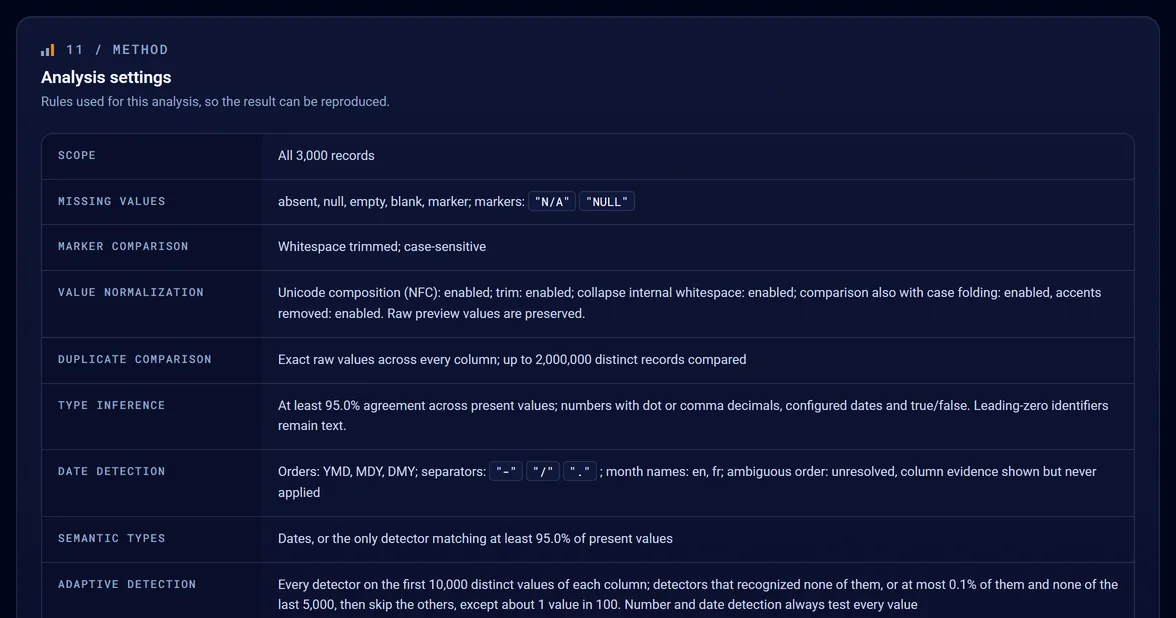
Types, missing values, duplicates, dates and patterns are profiled with explicit settings.
A structured profile for your tooling. An interactive report for exploration and sharing.
report.json is the canonical result. executions.json records successful analyses.
Tabalyst Report generates the structured JSON profile and the self-contained HTML report together.
Schematic rows, for illustration only.
Format
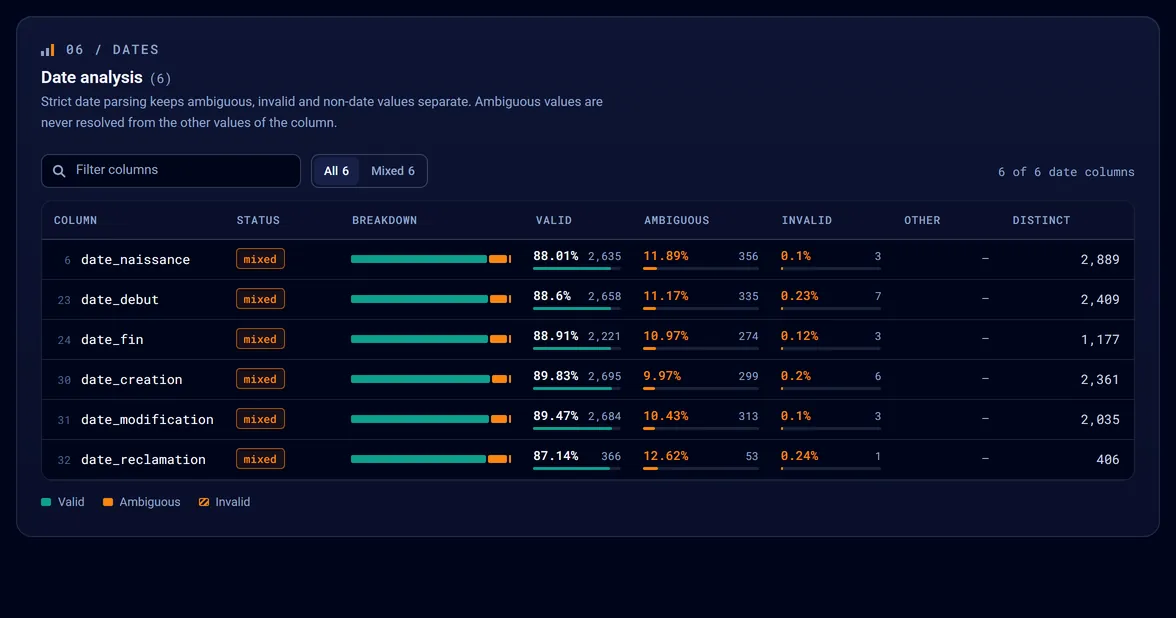
A column that looks like dates can mix 1978-02-30, 04/05/1983 and empty cells. A look at the first rows will not show it.
Missing values and duplicate rows are easier to deal with before the file enters your import, analysis or pipeline.
Spreadsheets and legacy systems export with a semicolon or cp1252. You say so once, with --delimiter and --encoding.
The idea
One command: tabalyst report file.csv. It writes the HTML report, the JSON profile and the execution history beside the source.
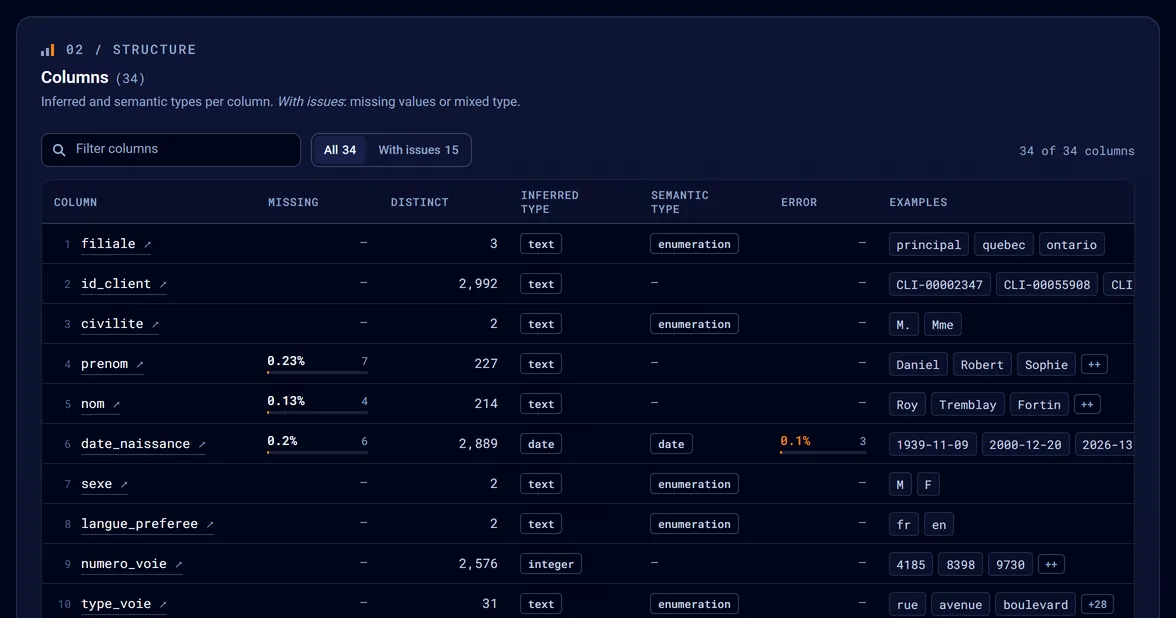
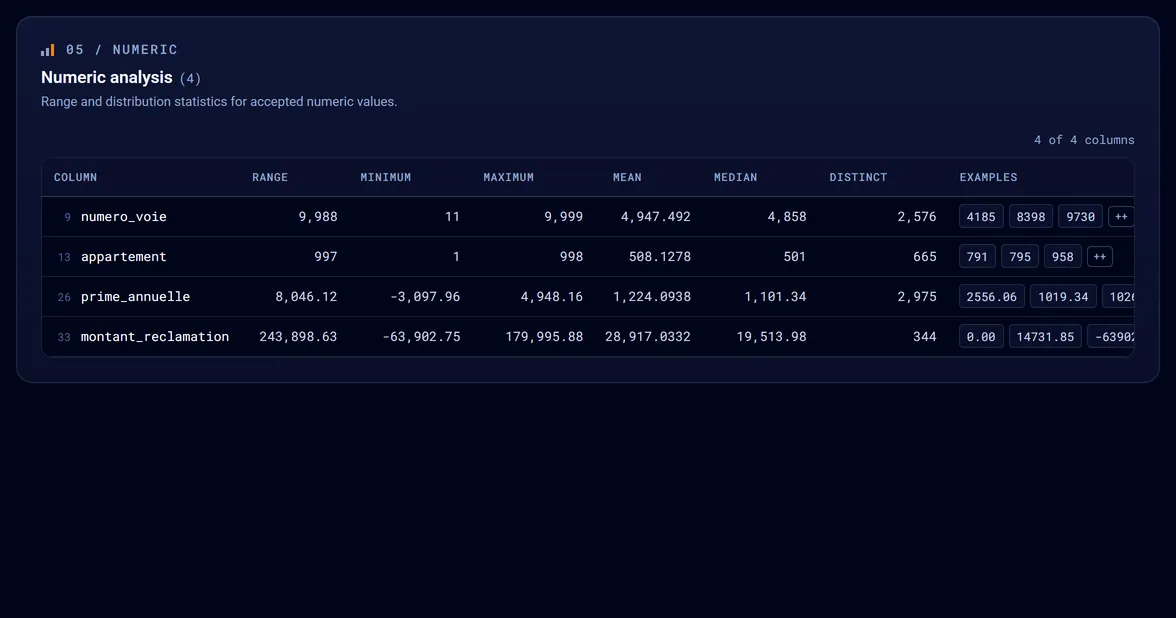
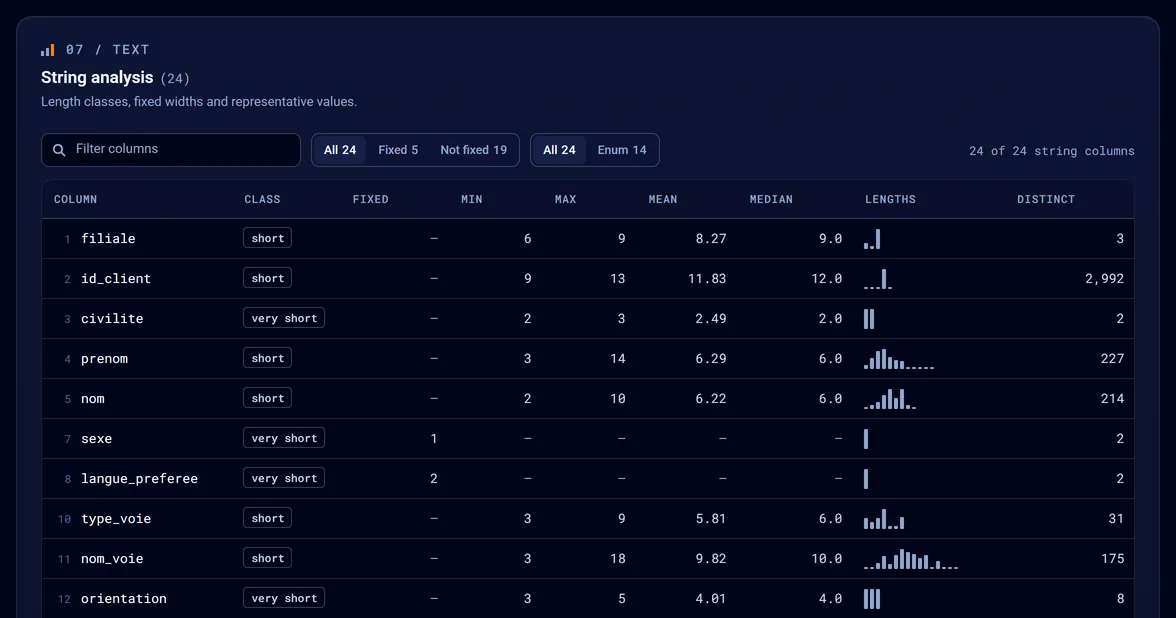
For every column: its inferred type, its missing values, its detected formats and its duplicates. An HTML report for people, a JSON profile for code.
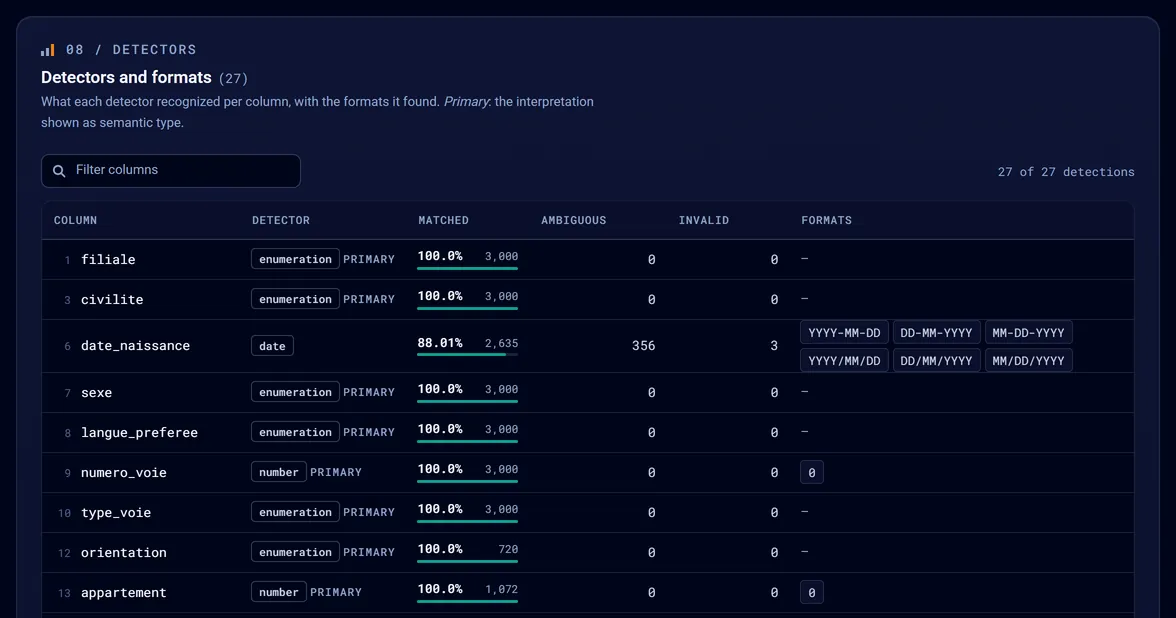
Detectors recognize dates, emails, phone numbers and more. A folder gives one report per file, and files of 16 MiB or more are analyzed by several workers on their own.
Outputs
Tabalyst Report writes three files beside the source: customers.html, an interactive report for people; customers.json, a structured profile for code; and executions.json, the history of successful runs. Add --details for one HTML page per column.
Proof
TabalystReport
Explore the report
Report
Analysis
Data
A synthetic file of insurance customers, analyzed as it is. The report and the profile are the files Tabalyst Report wrote.
Run it
Tabalyst Report is open source and runs on your machine. It needs Python 3.11 or later.
pip install tabalyst# Also updates it: Tabalyst changes often
tabalyst report myfile.csv# myfile.html, myfile.json and executions.json, beside the source
tabalyst report *.csv -d reports/# One report and one profile per file, all in reports/. Files are not merged
import tabalyst # One fileresult = tabalyst.analyze("myfile.csv", "reports/myfile.html", separator=";")print(result["datasets"][0]["summary"]["row_count"]) # Several files, one report eachbatch = tabalyst.generate_reports(["*.csv"], output_dir="reports")
Every option, including separator and encoding, is in the CSV guide ↗.
Scope, not hype
The known limitations ↗ list the rest.
Your next CSV
Install Tabalyst, point it at a CSV or a folder and open the reports.